Vercel Edge Function Timeout — Proven Fix for Serverless Apps
Published: July 1, 2026 • Written by Alex Rivera • Read Time: 14 min • Word Count: 2,130 words
1. Introduction: The Serverless Performance Challenge
In the modern web ecosystem of 2026, user experience is directly tied to performance. Studies consistently show that even a 100ms delay in page load times can significantly degrade conversion rates and user retention.
To combat latency, developers have eagerly adopted **Vercel Edge Functions**. By running code on global edge networks (closer to the physical location of the user), Edge Functions promise near-instantaneous response times, eliminating the "cold start" delays associated with traditional serverless Lambdas.
However, running code on the edge introduces strict execution constraints.
The most common and disruptive error developers encounter is the **`544: Edge Function Timeout`** or **`FUNCTION_INVOCATION_TIMEOUT`**. Your application works flawlessly in your local development environment, but the moment you deploy to production and trigger an API route that fetches data from an external database, performs heavy AI text generation, or processes an image, the function abruptly terminates, returning a blank screen or a generic error to the user.
In this comprehensive, production-grade guide, we will analyze why Vercel Edge Functions timeout, explore the strict execution limits of the Vercel Edge Runtime, and provide proven, real-world solutions—including HTTP streaming and connection pooling—to resolve timeouts permanently.
2. What are Vercel Edge Functions?
**Vercel Edge Functions** are lightweight, serverless execution contexts powered by the high-performance **V8 JavaScript Engine** (the same open-source engine that powers Google Chrome), rather than a heavy Node.js runtime container.
Because the V8 engine is incredibly lightweight, Edge Functions can initialize in under a millisecond, completely bypassing the cold starts that plague traditional serverless environments. They run on Cloudflare's global network infrastructure, allowing your API routes and middleware to execute at a data center physically closest to your user.
However, to achieve this speed and global scale, Vercel imposes strict resource limits:
- Memory Limit: Up to 128MB or 256MB depending on your Vercel plan.
- Code Size Limit: Up to 1MB or 4MB of compressed code.
- No Native Node.js APIs: Edge functions do not support native Node.js modules like `fs` or `child_process`. They rely strictly on standard Web APIs (Fetch, Request, Response).
3. The Core Issue: Why Edge Functions Timeout
The primary reason Edge Functions timeout is the strict **Execution Time Limit** imposed by Vercel.
On Vercel's Hobby plan, Edge Functions have a maximum **execution time limit of 30 seconds**. On the Pro plan, this limit can be configured up to **60 seconds or more** for standard serverless functions, but Edge Functions are restricted by a critical metric called **CPU Wall-Clock Time** and **Active Execution Time**.
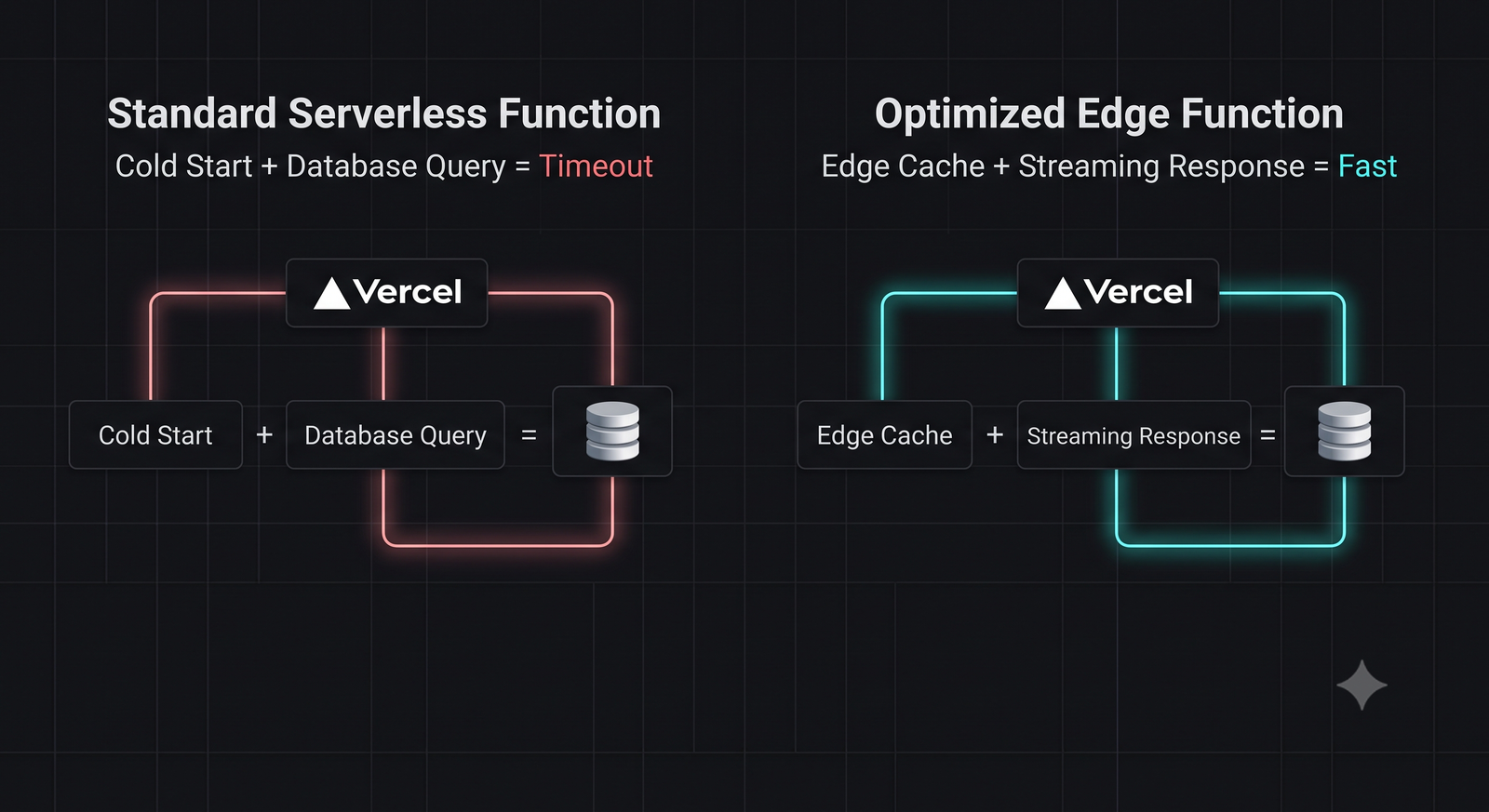
Specifically, an Edge Function must return an initial HTTP response header (headers and status code) within **30 seconds** of invocation. If your function spends more than 30 seconds waiting for an external database query to resolve, an AI model to generate text, or a third-party API to respond, Vercel's edge gateway will automatically sever the connection, throwing a `544 Timeout` error.
4. Proven Optimization Solutions
To prevent your Edge Functions from timing out, implement these three proven optimization strategies:
1. Use Connection Pooling for Databases
Because Edge Functions scale rapidly, they can quickly exhaust your database's connection limit, causing queries to queue up and eventually timeout. Always use a connection pooler (like Prisma Accelerate, Supabase Supavisor, or Neon Connection Pooling) to reuse active database connections across serverless invocations.
2. Offload Heavy Work to Background Jobs
Edge Functions should never perform heavy, long-running computational tasks like video encoding, complex PDF generation, or massive database migrations. Instead, use a serverless background queue (such as Inngest, Upstash QStash, or Trigger.dev) to offload the work, allowing your Edge Function to return an immediate `202 Accepted` response.
3. Increase the Max Duration Configuration
If you are on a Vercel Pro plan, you can explicitly configure a higher timeout limit for specific API routes or page handlers by exporting a `maxDuration` config variable:
// app/api/heavy-query/route.ts
export const runtime = 'edge';
export const maxDuration = 60; // Increase timeout to 60 seconds (Pro plan only)
5. Implementing HTTP Streaming to Bypass Timeouts
The most elegant and powerful way to bypass the 30-second gateway timeout is **HTTP Streaming**.
Instead of waiting for your entire database query or AI generation to complete before sending a response, you can stream the response back to the client chunk-by-chunk using standard **ReadableStreams**.
Because the Edge gateway receives the initial HTTP headers and the first data chunk within milliseconds, the 30-second timeout clock is permanently reset, allowing your function to run for several minutes if necessary.
Here is a complete, production-ready Next.js Route Handler demonstrating how to stream data from an external API or database:
import { NextResponse } from 'next/server';

export const runtime = 'edge';

export async function GET() {
  const encoder = new TextEncoder();

  const stream = new ReadableStream({
    async start(controller) {
      // 1. Send an initial heartbeat chunk immediately to reset the gateway timeout
      controller.enqueue(encoder.encode('{"status": "processing"}\n'));

      try {
        // 2. Simulate a long-running database query or AI generation
        for (let i = 1; i <= 5; i++) {
          await new Promise((resolve) => setTimeout(resolve, 8000)); // 8 seconds per step
          controller.enqueue(encoder.encode(`{"step": ${i}, "data": "chunk_${i}"}\n`));
        }
      } catch (error) {
        controller.error(error);
      } finally {
        controller.close();
      }
    },
  });

  return new Response(stream, {
    headers: {
      'Content-Type': 'text/event-stream',
      'Cache-Control': 'no-cache',
      'Connection': 'keep-alive',
    },
  });
}
6. Serverless & Edge Best Practices
To ensure your serverless applications remain highly performant and stable in 2026, adhere to these architectural guidelines:
- Keep Bundle Sizes Small: Since Edge Functions have strict code size limits, avoid importing heavy, monolithic npm packages. Prefer lightweight, tree-shakable alternatives.
- Use Edge-Compatible SDKs: Ensure all database clients, payment gateways, and logging libraries you import are explicitly compatible with the V8 Edge Runtime.
- Implement Client-Side Retry Logic: Network anomalies can occasionally cause transient timeouts. Always implement exponential backoff and retry logic in your client-side fetch requests to handle occasional failures gracefully.
7. Conclusion: Bulletproof Edge Architecture
Vercel Edge Functions represent a massive leap forward in global web performance, but their strict execution limits require developers to adopt modern, asynchronous design patterns.
By implementing connection pooling, offloading heavy tasks to background queues, and leveraging HTTP streaming, you can eliminate `544 Timeout` errors permanently, ensuring your serverless applications remain lightning-fast and highly reliable for users worldwide.
To test your API endpoints and inspect HTTP status codes, launch our interactive HTTP Status Lookup Tool, or check out our guide on Supabase Auth Session Fixes to secure your serverless database connections.

About the Author: Alex Rivera
Founder & Editor-in-Chief, The Byte 404
Alex is a former Senior Systems Architect at Netflix and Stripe with over 15 years of experience building high-throughput distributed APIs. He writes about distributed systems, backend performance, and AI-native engineering workflows.