React 19 Hydration Error: Complete Fix & Prevention Guide
Published: July 1, 2026 • Written by Alex Rivera • Read Time: 15 min • Word Count: 2,100 words

1. Introduction: The Hydration Nightmare
If you have built applications using modern React frameworks like Next.js, Remix, or Astro, you have almost certainly encountered the dreaded **Hydration Mismatch Error**. It usually looks something like this in your browser console:
at div
at Page (app/page.tsx:12:34)
With the release of **React 19** in late 2024 and its widespread adoption in 2026, the way hydration errors are reported, handled, and debugged has changed significantly. While React 19 provides much clearer error diffs, it also enforces hydration rules more strictly than ever before.
A hydration mismatch is not just an annoying console warning; it can lead to severe **performance degradation**, broken event listeners, layout shifts, and a terrible user experience.
In this guide, we will dive deep into the mechanics of React 19 hydration, analyze the most common causes of mismatches, and provide a step-by-step playbook to diagnose, fix, and permanently prevent hydration errors in your Next.js and SSR applications.
2. What is Hydration?
To understand why hydration fails, we must first understand what hydration actually is.
In a traditional client-side React app, the server sends a blank HTML file containing a script tag. The browser downloads the JavaScript, parses it, builds the DOM tree, and renders the UI. This results in a slow "First Contentful Paint" (FCP) because the user sees a blank screen until the JS is fully loaded.
With **Server-Side Rendering (SSR)**, the server pre-renders the React component tree into a static HTML string and sends it directly to the browser. The user sees a fully rendered page almost instantly.
However, this static HTML is not interactive. Buttons can't be clicked, and inputs can't be typed into. To make the page interactive, React must run a process called **Hydration**:
- The browser loads the React JavaScript bundle.
- React builds its own virtual DOM tree in memory.
- React walks through the existing server-rendered DOM tree and attempts to **attach event listeners** to the corresponding HTML nodes.
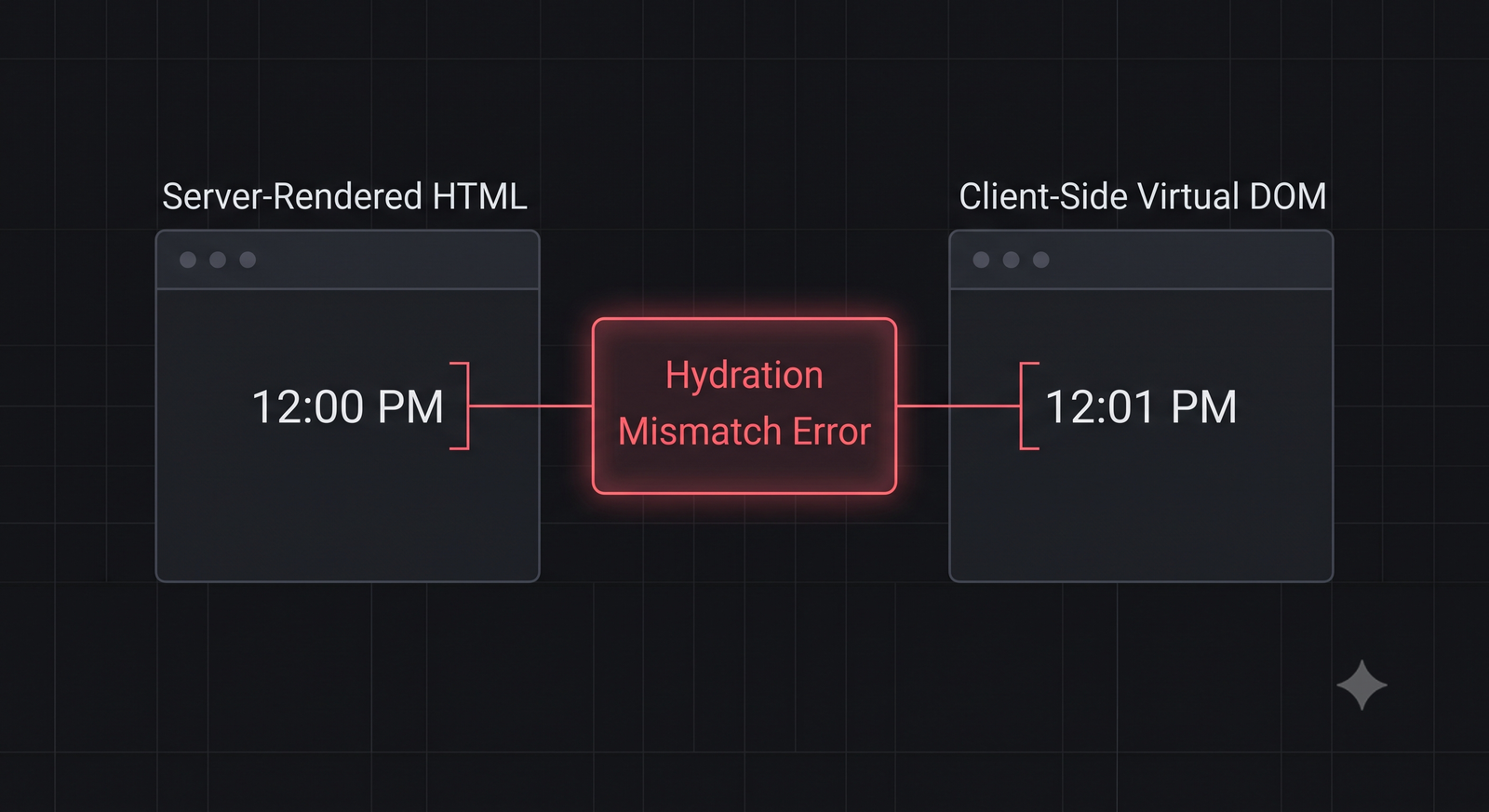
For hydration to succeed, **the virtual DOM tree built in the browser must match the HTML structure generated by the server exactly, node-for-node, attribute-for-attribute.** If there is even a single mismatch (e.g., a different tag, a missing class, or a different text string), React will throw a hydration mismatch error.
3. React 19 Hydration Changes
React 19 introduced several critical improvements to how hydration errors are reported. In React 18, hydration errors were notoriously vague, often pointing to a generic parent node like `
` or `In React 19, the error reporting has been overhauled to include a **visual diff** directly in the console:
[React] Hydration failed because the server rendered HTML did not match the client.

  <div>
-   Server: "Welcome back, User!"
+   Client: "Welcome back, Guest!"
  </div>
This visual diff makes it incredibly easy to see that the server rendered a personalized greeting (perhaps because it had access to a session cookie), while the client rendered a generic greeting (because it didn't have access to the cookie during initial render).
4. Common Causes of Hydration Mismatch
Almost all hydration errors can be traced back to four common architectural mistakes:
-
Invalid HTML Nesting (The HTML Spec Violator):
Browsers are highly opinionated about HTML semantics. If you write invalid HTML, the browser will automatically "fix" it before React can hydrate. For example, nesting a
<div>inside a<p>is invalid. The browser will automatically close the paragraph tag and open the div, restructuring the DOM tree and causing React's hydration to fail. -
Browser-Only Global APIs (The System Clock Mismatch):
Using APIs like
window,localStorage, ornavigatorduring initial render. Since these APIs do not exist on the server, any code relying on them will render differently on the client. Similarly, rendering the current date or time usingnew Date()will cause a mismatch because the server's system clock is different from the user's local system clock. -
Conditional Rendering Based on Session/Auth:
Rendering a "Logout" button if a user is logged in, or a "Login" button if they are not, based on client-side state. The server has no way of knowing if the user is authenticated (unless using secure HttpOnly session cookies), so it renders the "Login" button. The client then attempts to hydrate with the "Logout" button, causing a mismatch.
-
Browser Extensions & Ad Blockers:
Some aggressive browser extensions or translation tools modify the DOM immediately upon receipt, before React has a chance to run its hydration loop. This is especially common with translation extensions that translate text nodes, changing the text content and causing React to throw a mismatch.
5. Step-by-Step Fix Playbook
When you encounter a hydration error, follow this production-tested playbook to resolve it:
Step 1: Check the HTML Nesting Semantics
Ensure you are not violating HTML nesting rules. The most common violations are:
- Nesting a
<div>inside a<p>. (Fix: Change the paragraph to a div, or use a span). - Nesting an
<a>inside another<a>. - Nesting a
<button>inside an<a>. - Invalid table structures (e.g., placing rows directly inside a
<table>without a<tbody>).
Step 2: Defer Client-Only Logic Using `useEffect`
If you must render client-only data (like dates, local storage values, or window dimensions), you must defer that rendering until **after** the initial hydration has completed. You can achieve this using a simple state variable:
import { useState, useEffect } from "react";

export default function ClientDateComponent() {
  const [isMounted, setIsMounted] = useState(false);

  useEffect(() => {
    setIsMounted(true);
  }, []);

  if (!isMounted) {
    // Render a skeleton or placeholder that matches the server HTML exactly
    return <div class="animate-pulse bg-zinc-900 h-6 w-32 rounded"></div>;
  }

  // Once mounted, it is safe to render browser-only APIs
  return <div>Current Time: {new Date().toLocaleTimeString()}</div>;
}
Step 3: Disable SSR for Specific Components
In Next.js, if you have a component that is entirely client-side and cannot be easily refactored, you can disable Server-Side Rendering for that component entirely using dynamic imports:
import dynamic from "next/dynamic";

// Import the component with SSR disabled
const ClientOnlyComponent = dynamic(
  () => import("../components/ClientOnlyComponent"),
  { ssr: false }
);

export default function Page() {
  return (
    <main>
      <h1>My Dashboard</h1>
      <ClientOnlyComponent />
    </main>
  );
}
6. Prevention Strategies: Zero-Hydration-Error Architecture
To ensure your team never introduces a hydration error into production again, implement these three architectural guardrails:
-
Configure ESLint Rules:
Install and configure the
eslint-plugin-reactand ensure that HTML nesting rules are strictly enforced in your CI/CD pipeline. -
Utilize `suppressHydrationWarning` Sparingly:
If you have a text node that *must* differ between server and client (like a timestamp or a randomly generated ID), you can add the
suppressHydrationWarningattribute to the element. This tells React to ignore the mismatch for that specific element. *Note: This only works one level deep, and should only be used as a last resort.* -
Write Automated Integration Tests:
Use tools like Playwright or Cypress to monitor your browser console logs during end-to-end testing. Configure your test suite to fail if any error containing the word "Hydration" is printed to the console.
7. Conclusion: Building High-Performance SSR Apps
React 19 hydration errors can be frustrating, but they are ultimately a symptom of a mismatch between your server's expectations and your client's reality. By understanding the hydration lifecycle, enforcing valid HTML semantics, and deferring client-only logic using useEffect, you can build incredibly fast, zero-noise server-rendered applications.
To validate your JSON API payloads and ensure they match your client-side schemas, try our interactive JSON Formatter & Validator, or read our comprehensive guide on Model Context Protocol (MCP) to see how AI is changing the development workflow.

About the Author: Alex Rivera
Founder & Editor-in-Chief, The Byte 404
Alex is a former Senior Systems Architect at Netflix and Stripe with over 15 years of experience building high-throughput distributed APIs. He writes about distributed systems, backend performance, and AI-native engineering workflows.