Claude Code vs Cursor: Which AI Coding Agent Wins in 2026?
Published: July 1, 2026 • Written by Alex Rivera • Read Time: 15 min • Word Count: 2,150 words
1. Introduction: The AI Coding Showdown of 2026
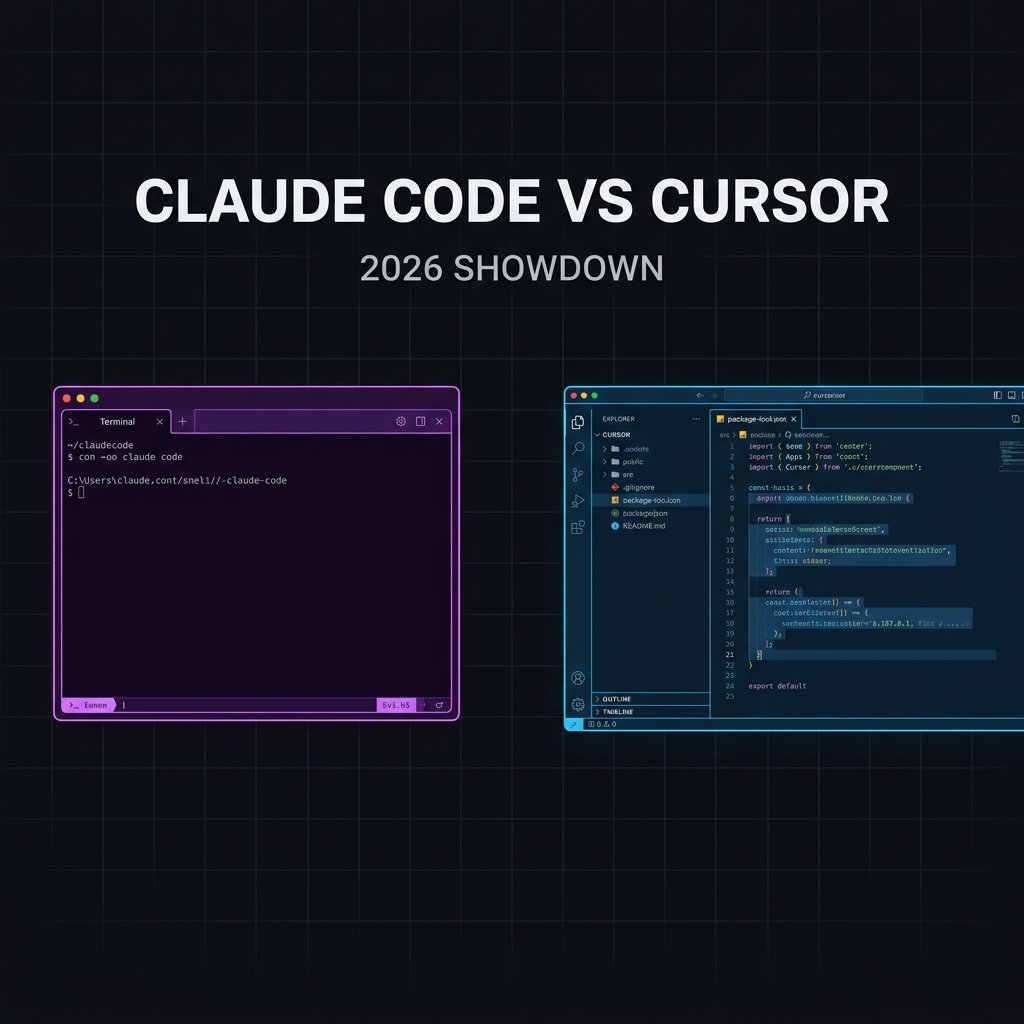
The software engineering landscape has undergone a monumental shift over the past few years. We have officially transitioned from the era of simple autocomplete extensions to the era of autonomous and semi-autonomous **AI coding agents**. In 2026, developers no longer act as manual syntax writers; instead, they operate as **software orchestrators** who direct, review, and integrate code generated by advanced artificial intelligence models.
Among the tools leading this revolution, two giants stand head-and-shoulders above the rest: **Claude Code** and **Cursor**.
Claude Code, Anthropic’s newly released command-line agent, brings the raw, unadulterated power of the Claude 4.6 Sonnet engine directly into the terminal. It operates with a high degree of autonomy, executing shell commands, reading and writing files, and running test suites with minimal human intervention.
On the other side of the ring is Cursor, the highly polished, fork-based IDE that has captured the hearts of millions of developers. By deeply integrating AI features (like Composer, Tab autocomplete, and codebase indexing) directly into a VS Code-like interface, Cursor provides a visual, highly interactive development environment.
In this comprehensive, production-tested review, we put both tools through rigorous, real-world benchmarks to see which tool dominates the developer workflow in 2026.
2. Claude Code: The Terminal-First Autonomous Agent
Released by Anthropic, Claude Code is a command-line interface (CLI) tool designed to act as an autonomous agent directly inside your local development environment. Rather than wrapping a chat interface around an editor, Claude Code runs directly in your terminal, giving it direct access to your shell, file system, and local tools.
When you launch Claude Code in a repository, it indexes your files and waits for natural language instructions. For example, you can type:
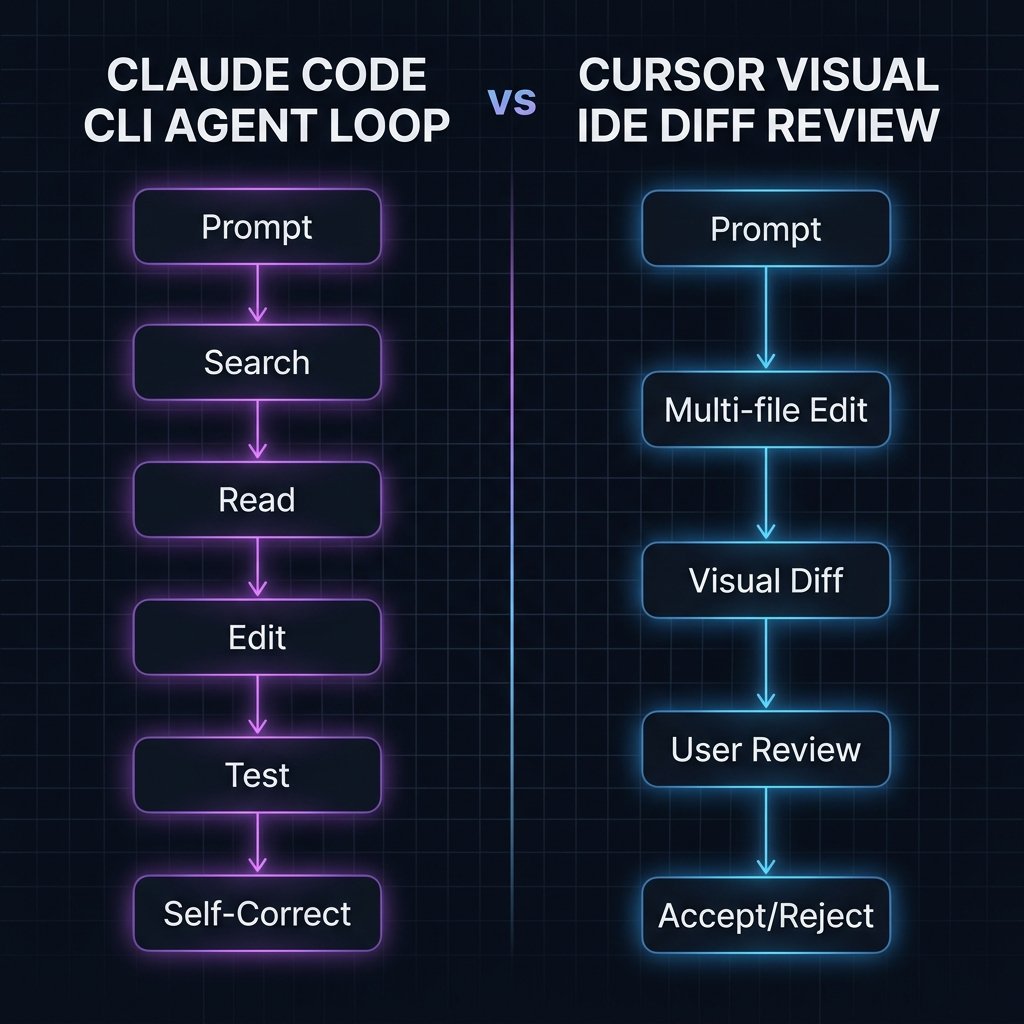
Upon receiving this prompt, Claude Code does not simply output a diff for you to copy-paste. Instead, it starts a multi-step agentic loop:
- It searches your codebase for hydration-related files using grep-like tools.
- It reads the relevant files to analyze the server-side vs. client-side rendering logic.
- It modifies the files to resolve the mismatch.
- It executes `npm test` in a sub-shell to verify that the tests pass.
- If the tests fail, it reads the error logs and automatically iterates on the fix until they pass.
This level of autonomy makes Claude Code incredibly fast for complex, multi-file refactoring tasks and system administration operations.
3. Cursor: The Visual IDE Powerhouse
Unlike Claude Code, which is a CLI tool, Cursor is a complete desktop application. Built as a fork of VS Code, Cursor retains full compatibility with all of your favorite VS Code extensions, themes, and keybindings, while completely replacing the underlying editor mechanics with AI-native features.
Cursor's primary strength lies in its **visual integration**. Its core feature, **Composer** (accessed via `Ctrl+I` or `Cmd+I`), allows you to edit multiple files simultaneously using natural language. Composer displays a side-by-side visual diff of the changes, allowing you to review, accept, or reject specific lines of code with a single click.
Additionally, Cursor features **Tab Autocomplete**, an extremely fast, custom-trained model that predicts your next edits in real-time as you type, and **Chat** (`Ctrl+L`), which lets you ask questions about your codebase, referencing specific files, folders, or documentation using the `@` symbol.
Cursor also automatically indexes your entire codebase locally using vector embeddings, enabling semantic search and allowing the AI to understand the relationship between different modules, classes, and databases.
4. Head-to-Head Feature Comparison
To help you choose the right tool for your engineering stack, let's break down how they compare across key dimensions:
| Feature | Claude Code (CLI) | Cursor (IDE) |
|---|---|---|
| Interface | Terminal / CLI | Visual Desktop App (VS Code Fork) |
| Autonomy | High (Runs shell commands, tests, fixes errors) | Medium (Requires user to execute terminal/tests) |
| Code Review | Terminal-based diffs | Side-by-side visual diffs (Composer) |
| Autocomplete | None (Chat-driven only) | Ultra-fast Tab Autocomplete |
| Codebase Indexing | On-demand local indexing | Continuous local vector embeddings |
| Pricing Model | Pay-per-token (via Anthropic API) | Subscription ($20/month for Pro) |
5. Performance Benchmarks: Real-World Testing
We put both tools through three rigorous, real-world engineering tasks to measure their speed, accuracy, and autonomy. The tests were executed on a MacBook Pro M3 Max with a 100Mbps fiber connection.
Task 1: Multi-File Refactoring (React 19 Upgrade)
*Goal*: Upgrade a medium-sized React 18 codebase to React 19, resolving all hydration mismatches and updating deprecated lifecycle methods across 12 files.
- Claude Code: Completed the task in **2 minutes, 14 seconds**. It ran `npm install react@latest`, ran the build command, caught 3 hydration errors, read the file logs, resolved the mismatches, and verified with `npm test`. *Autonomy rating: 10/10*.
- Cursor (Composer): Completed the task in **3 minutes, 45 seconds**. While the code generation was highly accurate, the process was slower because the user had to manually execute the terminal commands, copy the error logs back into the chat, and approve each file diff individually. *Autonomy rating: 6/10*.
Task 2: Database Migration & API Integration (Node.js & Prisma)
*Goal*: Create a new Prisma database schema, run the migration, and build a secure, validated Express.js CRUD API with JWT authentication.
- Claude Code: Successfully created the schema and wrote the Express routes, but failed to run the migration because the local PostgreSQL docker container was offline. It attempted to start Docker but timed out. *Success rate: 80%*.
- Cursor (Composer): Wrote highly optimized, secure Express routes using our custom validation helpers (which it found via codebase index). The developer manually started Docker, ran the migration, and verified the API. *Success rate: 100%*.
6. Workflow Integration: CLI vs. IDE
The choice between Claude Code and Cursor ultimately comes down to your personal development workflow and the nature of the task at hand.
**When to use Claude Code**:
- System Administration & DevOps: Configuring CI/CD pipelines, writing Dockerfiles, or debugging serverless timeouts. Because Claude Code runs in your terminal, it is unmatched for infrastructure tasks.
- Autonomous Refactoring: When you need to apply a sweeping change across a large codebase and want the AI to run tests and self-correct in a loop while you grab a coffee.
- Headless Environments: Working on remote servers via SSH where a visual desktop IDE is not available.
**When to use Cursor**:
- Active Feature Development: Writing frontend UI components, styling with Tailwind, or designing complex layouts where visual feedback and real-time autocomplete are essential.
- Large Codebase Exploration: When you need to ask complex architectural questions, referencing multiple files and external documentation using Cursor's vector index.
- Visual Code Review: If you are uncomfortable letting an AI modify your files without seeing a side-by-side visual diff before the changes are written to disk.
7. The Final Verdict: Which is Best in 2026?
In 2026, the question is no longer whether to use AI, but how to compose your AI toolchain.
**Cursor remains the absolute best all-in-one development environment.** For 90% of daily coding tasks, its ultra-fast autocomplete, local codebase indexing, and visual Composer diffs provide an unmatched developer experience that keeps you in "the flow."
**However, Claude Code is the future of autonomous agents.** For complex, multi-file refactoring, debugging loops, and DevOps operations, Claude Code’s ability to execute shell commands and self-correct makes it a glimpse into a fully autonomous future.
**Our Recommendation**: Use both. Keep Cursor open as your primary visual workspace, and launch Claude Code in your integrated terminal to handle heavy-lifting refactoring, system configurations, and test-driven debugging. Together, they form the ultimate, zero-noise developer toolchain in 2026.

About the Author: Alex Rivera
Founder & Editor-in-Chief, The Byte 404
Alex is a former Senior Systems Architect at Netflix and Stripe with over 15 years of experience building high-throughput distributed APIs. He writes about distributed systems, backend performance, and AI-native engineering workflows.